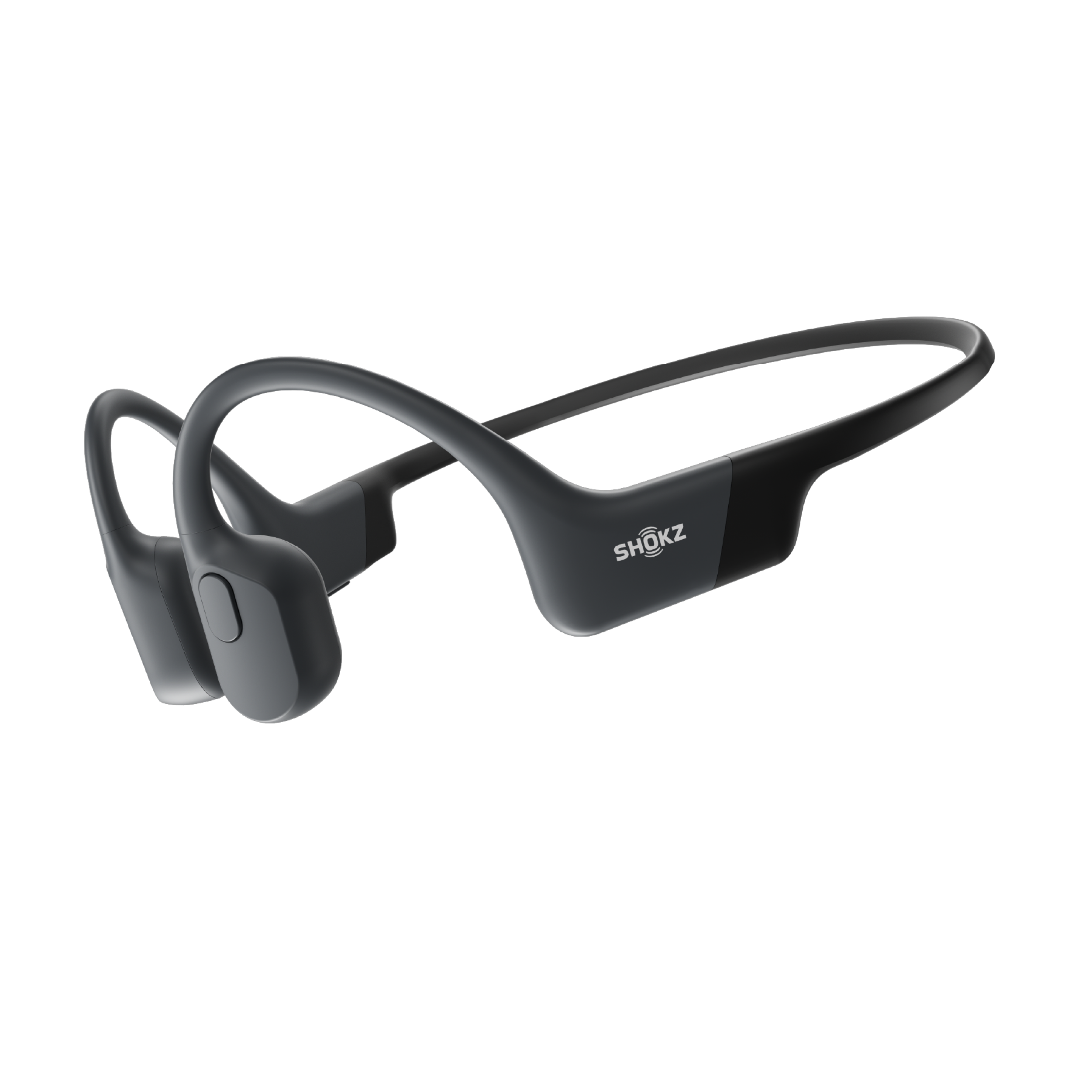
Open-ear listening to stay aware
Powered by Shokz Bone Conduction Technology, OpenRun Air 2 delivers an open-ear listening experience that helps you stay aware of your surroundings and move with confidence.



Powered by Shokz Bone Conduction Technology, OpenRun Air 2 delivers an open-ear listening experience that helps you stay aware of your surroundings and move with confidence.
The open-ear design keeps your ears cool and comfortable, even during intense workouts and extended listening sessions.
OpenRun Air 2 is over 9%[3] smaller and weighs just 26.4g[4], with a slimmer profile and refined fit designed for long-lasting comfort.

Up to 10 hours of battery life on a single charge. A 5-minute quick charge provides up to 2 hours of listening.

A dual-microphone system and AI noise reduction work together to deliver clear voice quality.

Switch tracks, manage calls, and adjust volume[6] with intuitive physical buttons.

Connect to two devices simultaneously and switch between them seamlessly—no re-pairing required.

Enjoy fast, stable connections within a range of up to 10 m (33 ft) with Bluetooth® 6.0.

Customize EQ settings, personalise controls, manage Multipoint Pairing, locate your headphones, and keep firmware up to date—all in the Shokz App.
Up to 10 hours of battery life on a single charge. A 5-minute quick charge provides up to 2 hours of listening.
A dual-microphone system and AI noise reduction work together to deliver clear voice quality.
Switch tracks, manage calls, and adjust volume[6] with intuitive physical buttons.
Connect to two devices simultaneously and switch between them seamlessly—no re-pairing required.
Enjoy fast, stable connections within a range of up to 10 m (33 ft) with Bluetooth® 6.0.
Customize EQ settings, personalise controls, manage Multipoint Pairing, locate your headphones, and keep firmware up to date—all in the Shokz App.


Audio Technology
PremiumPitch™ 3.0
PremiumPitch™ 2.0+
Battery Life
10 Hours
8 Hours
Charge Time
1 Hour
1.5 Hours
Quick Charge
Yes
(5-Min = 2 Hours of Usage)
Yes
(10-Min = 1.5 Hours of Usage)
Dust & Water Resistance
Dust, Sweat, and Water-Resistant (IP67)
*Not for Swimming
Dust, Sweat, and Water-Resistant (IP67)
*Not for Swimming
Weight
Standard: 26.4g
Mini: 25.9g
Standard: 26.4g
Mini: 26g
Shokz App
Yes
No
Materials
Polycarbonate, Silicone, Polyamide
Silicone, Plastic
Launch Time
2026.08
2019.07
In most everyday settings, those around you shouldn't clearly hear your audio at moderate volumes. You can minimize sound leakage even more when you enable Private EQ Mode in the Shokz App.
PremiumPitch™ 3.0 is our upgraded Bone Conduction Technology, featuring an all-metal, dual-coil, dual-reed structure for a more balanced, natural open-ear sound. Compared to PremiumPitch™ 2.0+, it improves mid-to-high frequency sensitivity by 3 dB for clearer vocals, and uses a thinner, lighter vibration plate to deliver stronger bass with more refined detail.
Yes, OpenRun Air 2 is designed to work with most glasses, running hats, and everyday headwear. While the fit may vary depending on the shape of your accessories, we recommend ensuring the headphones feel comfortable and secure before you start your activity, especially if you plan to wear them with a helmet.
1. Start with OpenRun Air 2 turned off.
2. Press and hold the Volume + button until the LED indicator flashes red and blue alternately.
3. Open your device’s Bluetooth settings and select “OpenRun Air 2 by Shokz”.
Pick up the headphones, position the neckband behind your head, and hook the ear hooks over your ears. The speakers should rest comfortably in front of your ears. Wearing your headphones correctly ensures the best fit and helps you avoid discomfort.
While audio is playing, press the Volume + or Volume - buttons to adjust the volume. You will hear a beep when the volume reaches its maximum* level.
*Listening at high volumes for extended periods may affect your hearing.
OpenRun Pro 2 is our flagship model, offering an elite sports experience with our most advanced bone conduction audio. OpenRun Air 2 is a lighter, more accessible option, perfect for everyday running and those new to open-ear listening.
OpenRun Air 2 builds on our classic OpenRun design with a lighter, more compact build, upgraded bone conduction audio, better call quality, and app functions. If you like OpenRun but are looking for a more refined fit, enhanced sound, easier charging, and more customization via our app, OpenRun Air 2 is the perfect upgrade.
1. Open the Shokz App home page and tap ""MultiPoint Pairing.""
2. Go to the MultiPoint management page and make sure ""MultiPoint Pairing"" is enabled.
3. Tap ""Connect to the Second Device"" and follow the on-screen instructions to complete pairing.
You can easily switch EQ modes using the Shokz App. Choose from four options: Standard for everyday listening, Volume Boost for noisy environments, Vocal for spoken audio like podcasts or audiobooks, and Private Mode to minimize sound leakage.
Subscribe for first access to the latest updates, products, and promotions.